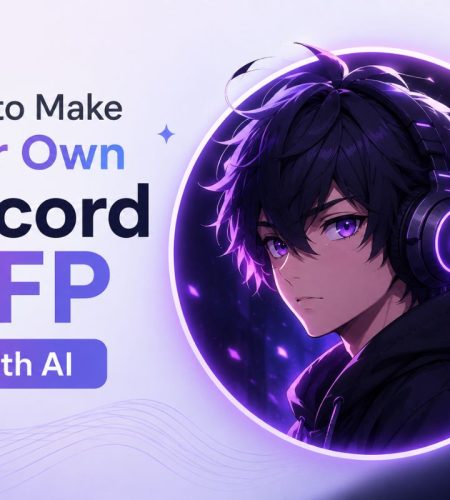
Your Discord profile picture is one of the easiest ways to show your personality online. It appears next to your messages, inside servers, in direct messages, and whenever someone opens your profile.
Finding the perfect image is not always easy, though. You might want an anime-style avatar that looks like you, a gaming character based on your personality, or an aesthetic PFP that nobody else is using.
AI image generators make this much easier. You can describe the profile picture you want, upload a reference photo to supported tools, choose an art style, and generate a custom avatar in minutes.
In this guide, you will learn how to make your own Discord PFP with AI, including how to choose a generator, write better prompts, create different PFP styles, resize your image correctly, and upload the finished avatar to Discord.
How to Make a Discord PFP With AI: Quick Answer
To make your own Discord PFP with AI, open an AI image generator and enter a prompt describing the avatar you want. Choose a square 1:1 aspect ratio and generate the image. Download your favorite result, crop or resize it if needed, and upload it through your Discord profile settings.
For example, you could use a prompt like:
Anime-style profile picture of a gamer wearing headphones, dark background, soft neon lighting, centered face, detailed digital illustration, square avatar
The most important part is keeping the main subject near the center because Discord displays profile pictures inside a circular frame.
Why Use AI to Create a Discord PFP?
Traditional profile pictures usually come from existing images, characters, artwork, or personal photos. AI gives you another option by letting you create something based on your own idea.
You can generate PFPs inspired by:
- Anime
- Gaming
- Fantasy
- Cyberpunk
- Cartoons
- Minimalist art
- 3D characters
- Digital illustrations
- Cute aesthetics
- Dark aesthetics
You can also experiment with several versions before choosing one.
This makes AI useful if you have a specific idea in mind but cannot find an existing PFP that matches it.
If you prefer browsing ready-made images instead, you can explore 100+ Best Discord PFPs & Profile Pictures or browse the PFP collections available on PfpFinder.
Step 1: Decide What Kind of Discord PFP You Want
Before opening an AI generator, think about the style you want.
A clear idea usually produces better results than entering a vague prompt.
Ask yourself:
- Do I want a human or character avatar?
- Should it look realistic or illustrated?
- What colors should dominate the image?
- Do I want a bright or dark background?
- Should the character look cute, serious, funny, or mysterious?
- Does the PFP need to match my Discord banner?
For example, someone active in gaming communities might choose a cyberpunk character with headphones. An anime fan might prefer a soft anime portrait, while someone using a minimalist Discord profile may want a simple illustrated avatar.
Your PFP should fit the online identity you want to create.
Step 2: Choose an AI Image Generator
There are many AI image generators available, and they do not all work in the same way.
Some focus on artistic images, while others are better at realistic portraits or character designs.
Popular options include:
- ChatGPT image generation
- Midjourney
- Leonardo AI
- Canva
- Fotor
- Picsart
- Recraft
- LightX
If you want to compare more options, our guide to 10 AI Avatar Generators Worth Trying for Discord, Gaming, and Social Media covers different tools and the types of avatars they are best suited for.
Look for a generator that allows square images and provides enough creative control for the style you want.
Step 3: Write a Detailed AI PFP Prompt
Your prompt tells the AI what to create.
Instead of writing:
gamer pfp
Try something more descriptive:
Close-up digital illustration of a futuristic gamer wearing black headphones, purple neon lighting, dark background, confident expression, centered composition, detailed face, square profile picture
A useful Discord PFP prompt can include:
Subject: Who or what appears in the image?
Style: Anime, cartoon, realistic, 3D, cyberpunk, watercolor, or another visual style.
Expression: Happy, serious, mysterious, confident, relaxed.
Colors: Dark blue, pastel pink, black and white, neon purple.
Background: Simple gradient, blurred city, stars, solid color.
Composition: Close-up portrait with the subject centered.
Adding these details gives the generator a clearer idea of what you want.
AI Prompt Examples for Discord PFPs
Here are a few prompts you can customize.
Anime Discord PFP
Anime-style close-up portrait of a character with black hair and blue eyes, soft blue lighting, night sky background, detailed digital anime art, centered face, square profile picture
Gaming Discord PFP
Futuristic gamer avatar wearing a headset, neon gaming room in the background, dramatic lighting, detailed digital illustration, centered composition, square avatar
Aesthetic Discord PFP
Minimalist aesthetic portrait, soft pastel colors, dreamy lighting, blurred background, clean digital illustration, centered subject, square profile picture
Dark Discord PFP
Mysterious hooded character, dark atmospheric background, subtle red lighting, cinematic digital art, detailed face, centered portrait, square profile picture
Cute Discord PFP
Cute cartoon character wearing an oversized hoodie, soft pastel background, cheerful expression, clean digital illustration, centered composition, square avatar
You can change individual details and generate several versions until you find something that matches your style.
Step 4: Generate Multiple Versions
Your first result may not be the best one.
Generate several versions and compare:
- Facial details
- Colors
- Background
- Lighting
- Composition
- Overall style
Small prompt changes can produce completely different results.
If the image feels too busy, ask for a “simple background.”
If the face is too far away, add “close-up portrait.”
If the subject is off-center, specify “centered composition.”
The goal is to create an image that still looks good when Discord displays it at a small size.
How AI PFP Generators Create Images
AI image generators do not simply search the internet and pick an existing profile picture. Modern generative models learn visual patterns from training data and use those learned relationships to generate new images based on user prompts and other inputs.
The quality and diversity of training data can influence how well an AI system understands different objects, visual concepts, and image characteristics. Companies developing AI systems may work with specialized ai data collection services when gathering and preparing datasets for machine learning projects.
For the person creating a Discord PFP, most of this technology remains behind the scenes. You simply provide your prompt or supported reference image, and the model generates a visual result based on your instructions.
Step 5: Choose the Correct Discord PFP Size
Once you have generated your image, make sure it is suitable for Discord.
A square image works best for a Discord avatar.
The recommended size is:
128 x 128 pixels or larger in a 1:1 aspect ratio
Creating the original image at a higher resolution, such as 512 x 512 or 1024 x 1024 pixels, can help preserve image quality before Discord processes the upload.
For more information about dimensions and formats, read our Best Discord Profile Picture Sizes guide.
Remember Discord’s Circular Crop
This is one of the most important things to consider when generating a PFP.
You upload a square image, but Discord usually displays the avatar as a circle.
That means content near the corners may not be visible.
Keep important elements such as:
- Faces
- Eyes
- Logos
- Character details
close to the center.
Avoid putting important text near the edges. In most cases, text is not ideal for a small Discord avatar anyway because it becomes difficult to read.
Step 6: Download and Check Your AI PFP
Once you find a result you like, download the highest-quality version available.
Before uploading it, check how it looks at a smaller size.
Ask yourself:
- Is the face still recognizable?
- Is the image too dark?
- Does the background distract from the subject?
- Will circular cropping remove anything important?
- Does it match my Discord profile?
If something looks wrong, crop the image or return to your AI generator and create another version.
Step 7: Upload Your AI PFP to Discord
Once your image is ready, you can make it your Discord profile picture.
On Desktop
- Open Discord.
- Click the gear icon next to your username.
- Open your profile settings.
- Select the option to change your avatar.
- Upload your AI-generated image.
- Adjust the crop.
- Save your changes.
On Mobile
- Open the Discord app.
- Tap your profile icon.
- Open your profile settings.
- Tap your current avatar.
- Select your new AI-generated PFP.
- Adjust the image.
- Save your changes.
If you need more help, follow our complete guide on How to Change Your Discord Profile Picture.
How to Create an Aesthetic AI Discord PFP
Aesthetic PFPs usually work best when the design follows a consistent visual direction.
Try using:
- Soft color palettes
- Simple backgrounds
- Subtle lighting
- Centered portraits
- Minimal visual clutter
You can also match the colors of your PFP with your Discord banner and profile theme.
For more ideas, check our guide on How to Create Aesthetic PFPs for Discord.
You can also browse the Aesthetic PFP collection on PfpFinder if you want inspiration before creating your own version.
How to Create an AI Anime Discord PFP
Anime remains one of the most popular styles for Discord profile pictures.
For better AI-generated anime avatars, describe:
- Hair color and style
- Eye color
- Clothing
- Facial expression
- Background
- Lighting
- Anime art style
For example:
Anime boy with messy white hair and blue eyes, black hoodie, soft purple lighting, nighttime city background, close-up portrait, detailed anime illustration, centered square composition
If you prefer existing artwork, PfpFinder also has collections covering anime and manga PFPs, including Best Manga Matching PFPs and Matching Anime PFPs for Couples.
Can You Make Matching Discord PFPs With AI?
Yes. AI can also be used to create matching profile pictures for couples, friends, or groups.
The easiest method is to describe both characters in the same prompt and request a composition that can be divided into separate square images.
For example:
Two matching anime characters sitting back to back, coordinated black and purple outfits, neon city background, symmetrical composition, matching profile picture set
You can then crop each character into an individual PFP.
Creating consistent characters across multiple generations can be difficult, so generating both characters in the same image may produce more visually consistent results.
You can also find ready-made inspiration in our Matching Group PFPs, Best Trio Matching PFPs, and Good Matching PFPs collections.
Can You Create an Animated Discord PFP With AI?
Some AI tools can generate animations or convert static images into short animated clips.
However, creating the animation is only the first step. Discord has its own requirements for using animated avatars, and availability can depend on your account features.
If you want an animated profile instead of a static image, you can also explore our Matching PFP GIFs collection for inspiration.
AI-Generated PFP vs Ready-Made PFP
Both options have advantages.
An AI-generated PFP gives you more creative control. You can describe specific colors, characters, moods, and themes.
A ready-made PFP is faster. You simply find an image you like and use it.
AI is a good choice when you have a specific idea that is difficult to find elsewhere. PFP collections are better when you want to browse lots of options quickly.
You can also combine both approaches. Browse existing PFPs for inspiration, then use those ideas to develop a completely new concept for your AI prompt.
Tips for Creating a Better AI Discord PFP
Keep your subject centered because Discord uses circular cropping.
Use a simple background so the avatar remains recognizable at small sizes.
Generate your original image at a high resolution before resizing it.
Avoid adding long text because it will be difficult to read.
Try several prompts instead of accepting the first result.
Match your PFP colors with your banner if you want a consistent profile theme.
Most importantly, choose an avatar that actually feels like your online identity. A technically perfect image is not necessarily the best PFP if it does not match your personality or the communities you spend time in.
Complete Your Discord Profile
Your PFP is only one part of your profile.
You can create a more consistent identity by combining your new avatar with:
- A matching banner
- A short bio
- A recognizable username
- Coordinated profile colors
If you need inspiration, explore our Discord Bio Ideas guide or learn How to Get Someone’s Discord Banner if you want to understand how Discord banners work.
You can also browse PfpFinder’s PFPs, GIFs, and Banners to find more ideas for your profile.
Final Thoughts
Making your own Discord PFP with AI gives you more control over how you present yourself online. Instead of searching endlessly for an image that almost matches your idea, you can describe the character, style, colors, and mood you want and generate your own version.
Start with a clear concept, write a detailed prompt, and generate several variations. Keep the subject centered, use a square canvas, and remember that Discord will display your avatar inside a circular frame.
Once your PFP is ready, you can build the rest of your Discord profile around it with a matching banner, bio, and profile theme.
You can use discord tools like Discord Pfp Stealer, Pride Pfp Maker, Discord Lookup, Discord Timestamps Generator to make things easy!
FAQ
Can I use AI to make a Discord PFP?
Yes. AI image generators can create custom profile pictures from text prompts, and some tools also support reference image uploads. Generate a square image, download it, and upload it as your Discord avatar.
What size should an AI Discord PFP be?
Use a square 1:1 image. Creating your AI PFP at 512 x 512 or 1024 x 1024 pixels gives you a high-quality source image that can be cropped and processed for Discord.
What is the best AI style for a Discord PFP?
Anime, gaming, cartoon, aesthetic, cyberpunk, and 3D avatar styles are all popular. The best choice depends on your personality and the type of communities you use.
Can I make an AI PFP from my own photo?
Yes, if the AI tool you choose supports image uploads or image-to-image generation. Upload your photo and provide instructions describing the style you want.
How do I stop my AI PFP from being cropped badly on Discord?
Keep the face or main subject in the center of the square image. Avoid placing important details in the corners because Discord displays profile pictures with circular cropping.
Can I make matching Discord PFPs with AI?
Yes. You can generate two or more coordinated characters and crop them into separate profile pictures. This works well for couples, friends, and groups who want matching Discord avatars.
Comments