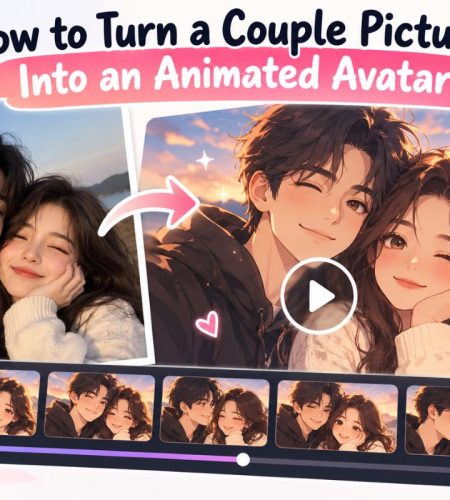
Have a favorite picture with your partner that you’d like to bring to life? You can use AI tools to add movement to a still photo and turn it into a short animated video. It’s a fun way to create something personal for your social media, share a memory with your partner, or make your profile picture stand out.
You don’t need animation skills to get started. All you need is a good photo, an animation tool, and a little time to find a result you like.
What Is an Animated Couple Avatar?
An animated couple avatar is a moving version of a picture featuring two people. Instead of staying still, the image might show you smiling, blinking, turning toward each other, or making small movements.
There are a few ways to create one:
- AI photo animation: Adds movement to an existing couple photo.
- Anime animation: Brings an anime-style couple illustration to life.
- AI-generated couple videos: Turns a still picture into a short video.
- GIF avatars: Uses a short, looping animation on platforms that support it.
Keep in mind that a video and an animated profile picture aren’t always the same thing. You may need to crop, trim, or convert the video before using it as an avatar.
1. Choose a Good Couple Picture
The photo you start with makes a big difference. A clear picture helps the animation tool keep both people recognizable and makes the final result look better.
Before uploading your photo, check a few things:
- Clear faces: Both people should be easy to see.
- Good lighting: Avoid very dark or blurry pictures.
- A simple background: Too many details can take attention away from the couple.
- Good image quality: Use the original photo instead of a compressed screenshot.
- Good framing: Make sure both people fit comfortably in the picture.
Think about where you’ll use the avatar, too. If you plan to use it as a circular profile picture, leave some space around both faces so they don’t get cut off.
2. Turn Your Couple Picture Into an Animation
Once you’ve picked a photo, you can use an AI tool to add movement. You don’t have to animate each part of the picture yourself.
For example, you can try an AI couple video generator to create an animated clip from a couple picture.
The process usually looks like this:
- Open the animation tool.
- Upload your couple picture.
- Choose an available animation effect.
- Add a prompt or adjust the settings if the tool offers those options.
- Generate the video and watch it from beginning to end.
- Save the version you like.
Start with simple movements, such as a smile or a gentle head turn. Too much movement can make faces look strange or change details in the original picture.
The exact options depend on the tool, so check which effects and download formats it supports.
3. Pick a Style That Fits Your Picture
The best animation style depends on the photo and the look you’re going for. Here are a few ideas to try.
Romantic and Natural
A regular couple photo can look great with small movements, soft smiles, or a gentle turn toward each other. These effects keep the animation close to the original picture.
Anime and Illustrated
If you like anime couple PFPs, start with an illustration instead of a regular photograph. You can try effects that add movement to the characters’ expressions or hair.
PfpFinder’s anime PFP collection has plenty of styles to use as inspiration.
Cute and Aesthetic
For a softer look, choose a photo with good lighting and a simple background. Keep the animation light so the picture doesn’t become too busy.
You can browse cute PFPs for more ideas.
Matching Couple Avatars
You and your partner can use similar colors, poses, or themes to make your profile pictures look connected. You don’t have to use the exact same image; two complementary pictures can work just as well.
Check out PfpFinder’s matching PFP collection for ideas you can adapt to your own avatars.
4. Check the Animation Before Saving It
Your first result might not look perfect, and that’s normal. AI animation tools can sometimes change facial features, distort hands, or make movements look unnatural.
Watch the whole clip before using it. Pay attention to these details:
- Faces: Do both people still look like themselves?
- Movement: Do the expressions and head movements look natural?
- Background: Does it stay consistent, or does it change unexpectedly?
- Details: Do the hair, hands, and clothing look right throughout the clip?
- Looping: If you want a GIF, does the ending flow smoothly into the beginning?
If something looks off, try a different effect or use a clearer photo. You may need to generate a few versions before you find one you’re happy with.
5. Prepare the Animation for Your Profile
After creating the animation, you’ll need to make sure it works on the platform where you want to use it.
A video file might need to be cropped, shortened, or converted to another format before you can upload it as a profile picture.
Here are a few things to check:
- Crop the image: Keep both faces visible.
- Keep the main details centered: Circular profile pictures can cut off anything near the edges.
- Check the file format: Some platforms accept GIFs, while others only allow static images.
- Check file size and length: Platforms may have limits on uploads.
- Preview the final version: Make sure the picture still looks good when displayed at a small size.
For example, Discord supports animated GIF avatars for eligible Nitro subscribers. Other platforms may only allow static profile pictures, so check the rules before preparing your file.
If the platform doesn’t support your video, you can take a good frame from it and use that as a regular couple PFP instead.
Want to make a custom avatar from scratch? Read our guide on how to make a Discord PFP with AI. Our guide on how to choose a Discord PFP can also help you pick an image that looks good at a small size.
6. Where Can You Use an Animated Couple Avatar?
Once your animation is ready, you can use it in several ways, depending on the file format and the platform’s rules.
Discord: If your account supports animated avatars, a short loop can give your profile a personal touch. Keep both faces visible so they’re easy to recognize.
Social media: Share the animation in a post, story, or reel if the platform supports video uploads.
Matching profiles: Use the same photo or theme to create two complementary avatars for you and your partner.
Personal memories: Save the animation as a short video and share it privately with your partner.
You don’t have to use the animation as a profile picture. It can also be a fun way to give a favorite photo a new look.
If you like animated images, take a look at PfpFinder’s GIF collection for more ideas.
You can also use the Discord PFP Downloader to save an existing Discord profile picture. Just remember that downloading a static picture won’t turn it into an animation.
7. Common Problems and How to Fix Them
| Problem | What to try |
| Faces look distorted | Upload a clearer photo and try a simpler effect. |
| One person looks different | Try another version or use a photo where both faces are easy to see. |
| Movement looks strange | Choose a less complicated animation. |
| Video looks blurry | Start with a higher-quality picture and check the export settings. |
| Avatar won’t upload | Check the platform’s file format, size, and account requirements. |
| Animation doesn’t loop smoothly | Trim the clip or try a version with a better ending. |
Some issues may remain even after a few attempts. The result depends on the original photo and the tool you’re using, so don’t be afraid to try a different approach.
Tips for Better Animated Couple Avatars
A few simple things can help you get a better result:
- Start with a photo you both like.
- Keep the movement simple and natural.
- Avoid effects that change your faces too much.
- Check how the image looks when cropped into a circle.
- Save the original photo so you can try other styles later.
- Get your partner’s permission before uploading their photo to an AI service.
You don’t need lots of effects to make a good avatar. A small amount of natural movement can be enough to make the picture feel different.
Final Thoughts
Turning a couple picture into an animated avatar is a fun way to give a favorite photo a new look. Choose a clear picture, try an animation style you like, and check the result before using it online.
An AI couple video generator like CoupleLens can help you create a short animated clip without having to animate everything yourself. You may still need to edit or convert the result before using it as a profile picture.
Whether you prefer realistic photos, anime couples, or matching avatars, start with a picture you both love and keep the final design true to your style.
Comments