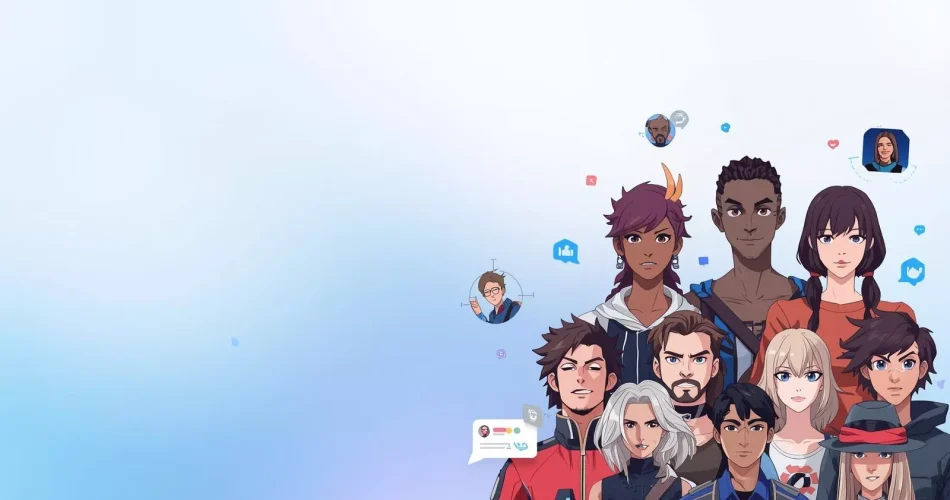
A profile picture is often the first visual element people notice when they see your account online. On platforms like Discord, gaming communities, and social networks, an avatar represents your identity. It can reflect personality, creativity, or the type of communities you participate in.
Many users now rely on AI avatar generators to create unique profile images. These tools can generate avatars in different styles such as anime characters, gaming icons, digital illustrations, and realistic portraits. Instead of designing a profile picture from scratch, users can enter prompts or upload images and generate multiple versions quickly.
This guide highlights ten AI avatar generators that work well for Discord profiles, gaming identities, and social media accounts. The focus is on tools that offer good image quality, ease of use, and flexibility for creating profile pictures.
10 AI Avatar Generators Worth Trying
Piclumen
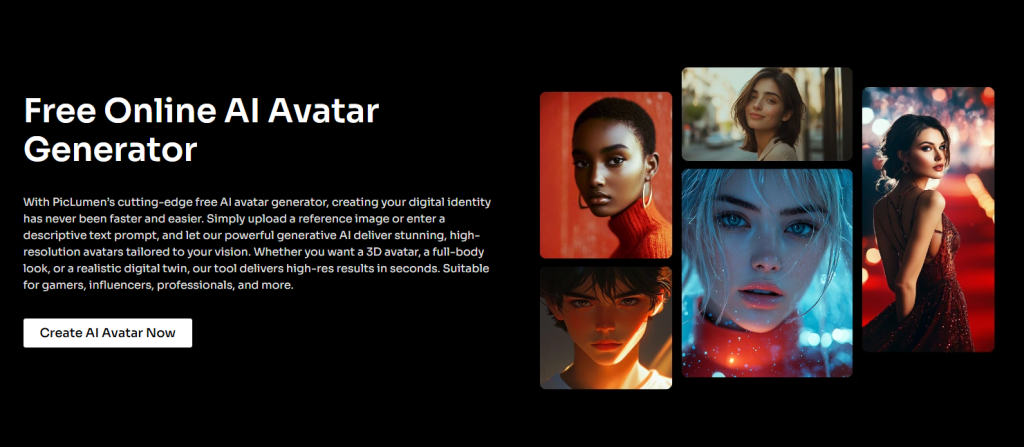
Piclumen is a flexible AI image generator that works well for creating avatars and profile pictures. The tool allows users to generate images using text prompts or upload existing images as a base for the design.
Best for
Users who want flexible AI avatar generation for Discord, gaming profiles, and social media accounts.
What it offers
Users can open the AI generation workspace, choose an AI model, enter a prompt, select image ratio and resolution, then generate the image. After generating an image, users can download it, remix it, or generate variations.
Pros
- Multiple AI models available
- Supports prompts and image uploads
- Adjustable aspect ratio and resolution
- Allows remixing and variations
Cons
- Less widely known compared to some larger AI tools
- Interface may feel more advanced for beginners
Why it fits avatars
Piclumen works well for avatar creation because it offers flexibility without making the process overly complicated. Users can experiment with different styles until they find a profile picture that fits their online identity.
Fotor
Fotor is a well known editing platform that includes AI avatar generation tools. The interface is simple and beginner friendly.
Best for
Users who want a quick way to generate a profile image.
Pros
- Simple interface
- Quick avatar generation
- Beginner friendly
Cons
- Limited customization for advanced users
- Fewer controls compared to specialized AI tools
Why it fits avatars
Fotor is useful for users who want a fast avatar without spending much time adjusting settings.
Canva
Canva is widely used for design and social media graphics. It also includes AI tools that can help create profile images and avatars.
Best for
Users who want to create avatars alongside other social media visuals.
Pros
- Familiar design interface
- Easy editing tools
- Good for creating profile graphics and banners together
Cons
- Avatar generation is not the main focus
- Limited AI control compared to specialized platforms
Why it fits avatars
Canva works well for users who want a profile image along with other visual assets such as banners, thumbnails, or social graphics.
Midjourney
Midjourney is known for producing highly stylized and artistic AI images. Many users rely on it to generate fantasy characters, artistic portraits, and gaming themed visuals.
Best for
Users who want visually striking avatars with strong artistic style.
Pros
- High quality artistic output
- Distinct visual styles
- Strong for fantasy and character portraits
Cons
- Learning curve for beginners
- Workflow may feel complex for quick avatar creation
Why it fits avatars
Midjourney works well for users who want a unique profile identity rather than a simple profile photo.
Leonardo AI
Leonardo AI is commonly used for character generation and game inspired artwork. It provides strong control over prompts and style variations.
Best for
Gaming avatars and character based profile images.
Pros
- Good prompt control
- Strong character generation tools
- Useful for repeated experimentation
Cons
- Interface may feel complex at first
- More features than casual users may need
Why it fits avatars
Leonardo AI is a good option for users who want detailed avatars with strong character design elements.
Artguru
Artguru focuses on simple avatar generation with minimal setup. The platform aims to make AI image creation accessible for casual users.
Best for
Users who want a quick and simple avatar generator.
Pros
- Easy to use
- Fast image generation
- Suitable for beginners
Cons
- Fewer advanced customization options
- Limited control over image output
Why it fits avatars
Artguru is useful for users who want to generate profile pictures quickly without adjusting complex settings.
Picsart
Picsart combines AI image generation with editing tools in a single platform. Many social media creators already use it for photo editing and design.
Best for
Users who want to generate avatars and edit them in the same workspace.
Pros
- AI generation and editing together
- Familiar interface for many creators
- Useful for preparing images for social platforms
Cons
- Image results can vary depending on style
- Less focused purely on avatar creation
Why it fits avatars
Picsart allows users to generate an avatar and then refine it using editing tools before using it as a profile picture.
Recraft
Recraft focuses on clean, modern digital visuals. The output often looks polished and design oriented.
Best for
Users who prefer clean digital avatars.
Pros
- High quality image structure
- Clean modern visuals
- Suitable for professional profile styles
Cons
- Less common among casual users
- Not ideal for playful or cartoon style avatars
Why it fits avatars
Recraft works well for users who want a refined profile image rather than a heavily stylized design.
Photoleap
Photoleap is a mobile focused creative tool that includes AI image generation and editing features.
Best for
Users who manage social media and profile updates from mobile devices.
Pros
- Mobile friendly workflow
- Quick editing tools
- Easy to generate and modify images
Cons
- Less advanced compared to desktop tools
- Limited generation control
Why it fits avatars
Photoleap allows users to generate avatars and adjust them directly from a smartphone.
LightX
LightX is another accessible AI editing tool designed for quick image creation and adjustments.
Best for
Simple avatar creation and quick profile image editing.
Pros
- Straightforward interface
- Fast results
- Suitable for casual users
Cons
- Limited advanced features
- Less control compared to larger AI platforms
Why it fits avatars
LightX works well for users who want a simple AI assisted workflow for creating profile pictures.
Magic Hour AI
Magic Hour offers a highly versatile avatar generator as part of its unified creative platform. The tool lets users transform simple text prompts or uploaded photos into custom profile pictures by utilizing multiple top-tier AI models in a single interface.
Best for
Users who want to easily generate, edit, or face-swap avatars without managing multiple complex platforms.
Pros
- Unified platform featuring multiple top-tier AI models
- Excellent face-swap and realistic blending features
- Quick, prompt-based editing and free to start
Cons
- Image consistency and quality can vary between different models
- Free tier outputs include watermarks
Why it fits avatars
Magic Hour works well because it allows users to either build entirely new characters from scratch or easily blend their own face into gaming templates and fantasy scenes.
How to Choose the Right AI Avatar Generator
Different tools work better for different needs.
For Discord and gaming profiles
Tools like Piclumen, Midjourney, and Leonardo AI work well for users who want character based or stylized avatars.
For quick social media avatars
Fotor, Canva, and LightX are easier options for simple profile images.
For more control over the design
Piclumen and Leonardo AI allow more experimentation with prompts and styles.
For mobile creation
Photoleap works well for users who manage their accounts primarily from smartphones.
Using AI Avatars on Discord and Social Platforms
Once you generate an avatar, you can upload it as a profile picture on Discord or other platforms. Many users also pair avatars with banners or matching profile themes to create a more recognizable online identity.
If you want inspiration for profile images, you can also explore different avatar styles and profile picture for discord collections on PfpFinder. Looking at existing PFP styles can help when deciding which avatar type works best for your profile.
Final Thoughts
AI avatar generators make it easier to create profile pictures that match personal style and platform identity. Some users want a simple profile photo. Others prefer a creative avatar that reflects gaming interests or online communities.
The tools listed above provide different approaches to avatar creation. Some focus on speed and simplicity. Others provide deeper control and more artistic styles.
Choosing the right generator depends on how much control you want over the final image and where the avatar will be used.
Might also like:
- Best Discord Profile Picture Sizes [2026]
- Good Matching Pfps | Free Download | Pinterest
- How to Change Your Discord Profile Picture
- 100+ Best Discord PFPs & Profile Pictures
- How to Transfer Discord Server Ownership
FAQ
What is the best AI avatar generator for Discord?
The best tool depends on the style you want. Tools like Piclumen and Leonardo AI allow more control over prompts and character generation. Artistic platforms like Midjourney can create more stylized avatars.
Which AI avatar generator is easiest for beginners?
Fotor, Canva, and Artguru are easy starting points because they have simple interfaces and quick generation tools.
Can I upload my own photo to create an AI avatar?
Yes. Some AI generators allow users to upload images along with text prompts. This helps guide the AI toward a specific style or appearance.
Which AI avatar generator works best for gaming profiles?
Gaming style avatars often work well with tools like Piclumen, Leonardo AI, and Midjourney because they support character focused designs and stylized artwork.
Comments