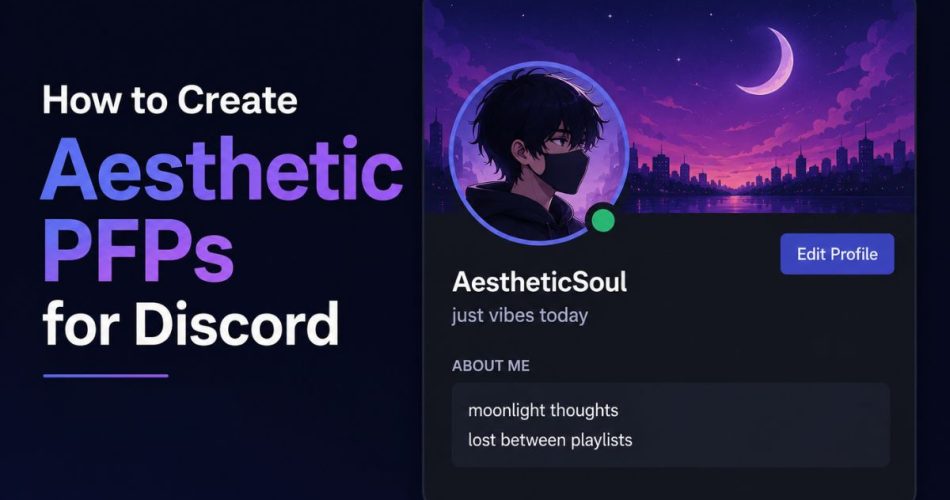
Your Discord profile picture is one of the first things people notice when they open your profile, reply to your messages, or see you in a server. Aesthetic PFPs are especially popular because they make profiles look cleaner, more creative, and more recognizable.
Many Discord users use aesthetic profile pictures to match their personality, gaming style, anime interests, or server theme. Some prefer dark aesthetic avatars, while others like soft pastel styles, anime edits, cyberpunk art, or minimalist profile pictures.
This guide explains how to create aesthetic PFPs for Discord, including style ideas, AI tools, editing tips, profile matching, and ways to make your profile stand out.
What Is an Aesthetic Discord PFP?
An aesthetic Discord PFP is a profile picture designed around a specific visual style or mood.
Popular aesthetic styles include:
- Anime aesthetic
- Dark aesthetic
- Soft pastel
- Gaming aesthetic
- Cyberpunk
- Minimalist
- Sad aesthetic
- Cute cartoon style
- Vaporwave
- Glitch art
Aesthetic PFPs usually focus on clean visuals, matching colors, and recognizable themes.
Best Ways to Create Aesthetic PFPs
There are multiple ways to create aesthetic Discord profile pictures depending on your style and editing experience.
Method 1: Use AI Avatar Generators
AI tools are one of the easiest ways to create aesthetic profile pictures.
You can generate:
- Anime avatars
- Cartoon portraits
- Fantasy characters
- Gaming style avatars
- Dark aesthetic portraits
- Minimal profile art
How it works
- Open an AI avatar generator
- Enter a prompt
- Choose an art style
- Generate multiple versions
- Download the best image
Example prompts
- anime girl aesthetic profile picture
- dark cyberpunk discord pfp
- soft pastel anime avatar
- gaming aesthetic portrait
- minimalist cartoon pfp
Some users also experiment with different portrait styles and creative themes while generating avatars. Tools like a1.art allow users to create AI generated portraits in multiple styles, including artistic and traditional inspired looks that can work for unique social media or Discord profile customization.
Method 2: Edit Existing Images
Another popular method is editing existing profile pictures.
You can customize:
- Colors
- Brightness
- Contrast
- Blur
- Grain
- Lighting
- Overlays
Apps commonly used
- Canva
- Picsart
- Photoshop
- CapCut
- Photopea
Simple edits often create the best results.
Method 3: Use Anime or Gaming Artwork
Anime and gaming profile pictures dominate Discord.
Popular choices include:
- Anime characters
- Manga panels
- Gaming characters
- Fan art
- Stylized edits
If you want inspiration, browsing existing PFP collections can help you discover styles that fit your profile theme.
You can explore different anime, gaming, aesthetic, and matching profile pictures directly on PfpFinder to find ideas before creating your own version.
Method 4: Create Matching PFP Themes
Many users create matching Discord profiles with:
- Similar profile pictures
- Matching banners
- Shared colors
- Group themes
This is common among:
- Friend groups
- Couples
- Gaming squads
- Anime communities
Matching profiles make accounts more recognizable inside servers.
Best Aesthetic PFP Styles for Discord
Dark Aesthetic PFPs
Dark aesthetic profile pictures usually use:
- Black backgrounds
- Red lighting
- Neon effects
- Shadowed faces
- Cyberpunk colors
These are popular in gaming and anime servers.
Soft Aesthetic PFPs
Soft aesthetic styles use:
- Pastel colors
- Clouds
- Soft lighting
- Calm expressions
- Minimal editing
This style works well for cute or cozy Discord profiles.
Anime Aesthetic PFPs
Anime aesthetic profile pictures are among the most used styles on Discord.
Popular anime PFP themes include:
- Sad anime edits
- Matching anime icons
- Lo-fi anime
- Manga style avatars
- Retro anime screenshots
Anime avatars are easy to recognize in chats and server lists.
Gaming Aesthetic PFPs
Gaming profile pictures often include:
- RGB lighting
- Competitive themes
- Character portraits
- FPS edits
- MMO inspired art
- Neon overlays
Many users combine gaming PFPs with matching banners and bios.
Best Discord PFP Size for Quality
Discord profile pictures should be square.
Recommended size:
512 × 512 pixels
Supported formats:
- PNG
- JPG
- GIF (Nitro users)
Keeping the image high quality prevents blur and compression.
If you want a full breakdown of image sizes, profile cropping, and upload quality, you can also check the complete Discord profile picture size guide on PfpFinder.
Tips for Creating Better Aesthetic PFPs
Keep the Subject Centered
Discord crops profile pictures into circles. Keep faces or important elements near the center.
Avoid Too Much Detail
Very detailed images become hard to recognize at small sizes.
Match Your Profile Theme
Good profiles often combine:
- Matching bio
- Matching banner
- Similar colors
- Consistent aesthetic style
Aesthetic profiles feel more polished when everything matches.
Use High Contrast
Strong contrast makes profile pictures easier to notice in servers and chats.
Common Mistakes to Avoid
- Using blurry images
- Overediting colors
- Adding too many effects
- Using unreadable text
- Choosing cluttered backgrounds
Simple profile pictures usually work better.
Combine Aesthetic PFPs with Discord Profile Customization
Aesthetic profile pictures look even better when paired with:
- Custom bios
- Stylish banners
- Matching usernames
- Small text formatting
- Animated profile pictures
You can also improve your profile further using these guides:
- Discord Bio Ideas
- How to Make Small Text on Discord
- How to Change Your Discord Profile Picture
- Best Discord Profile Picture Sizes [2026]
- 100+ Best Discord PFPs & Profile Pictures
- Matching Group PFPs for Friends
Using matching visuals and formatting helps create a stronger Discord identity.
Final Thoughts
Creating aesthetic PFPs for Discord is easier than ever with AI tools, editing apps, anime artwork, and profile customization features.
The best aesthetic profile pictures are usually simple, recognizable, and visually consistent with the rest of the profile. Whether you prefer anime avatars, gaming edits, dark aesthetics, or soft pastel themes, matching your PFP with banners and bios can make your profile stand out much more in servers and chats.
You can use discord tools like Discord Pfp Stealer, Pride Pfp Maker, Discord Lookup, Discord Timestamps Generator to make things easy!
FAQ
What is the best style for aesthetic Discord PFPs?
Anime, dark aesthetic, gaming, and soft pastel styles are among the most popular Discord profile picture themes.
What size should a Discord PFP be?
The recommended Discord profile picture size is 512 × 512 pixels.
Can AI generate aesthetic profile pictures?
Yes. Many AI tools can generate anime avatars, gaming portraits, aesthetic edits, and stylized profile pictures.
How do I make my Discord profile look aesthetic?
Use a matching profile picture, banner, username style, and bio with consistent colors and themes.
Are animated Discord PFPs allowed?
Yes. Discord Nitro users can upload animated GIF profile pictures.
Comments