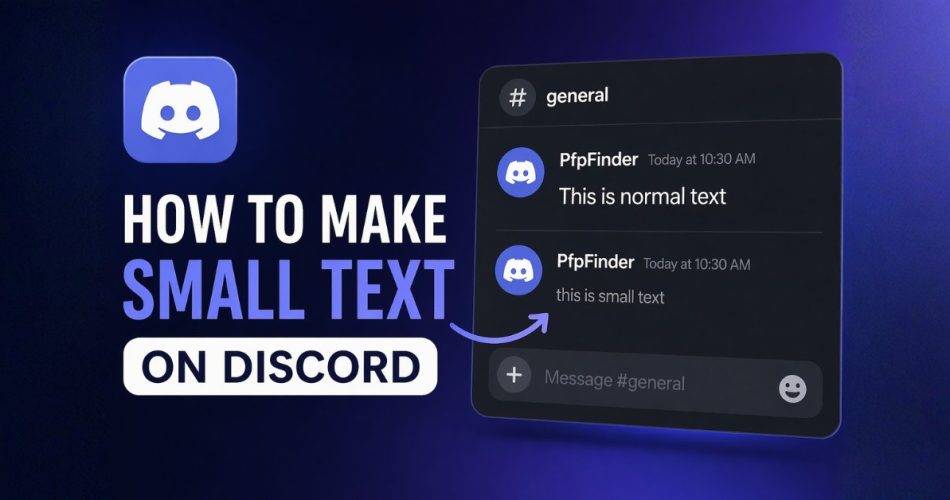
Small text on Discord is a simple way to make your messages look cleaner and more organized. Many users use it for notes, captions, or extra context that should not stand out as much as normal text. Discord supports this using its markdown formatting system, which allows you to change how text appears using simple symbols.
Small text is also useful when sharing additional references or external links in chats. For example, when mentioning something like an Ontario live dealer casino affiliate hub, you can keep extra details in subtext so your main message stays clear.
In this guide, you will learn how to make small text on Discord, including the exact method, examples, tips, and common mistakes.
How to Make Small Text on Discord (Quick Answer)
To make small text on Discord, type -# followed by a space at the beginning of your message, then write your text.
Example:
-# this is small text
This creates subtext, which appears smaller and lighter than normal text. It only works when placed at the start of a new line.
What Is Small Text on Discord?
Small text on Discord is called subtext. It is a formatting style that makes your message:
- Smaller than normal text
- Slightly faded or lighter
- Less visually dominant
It is commonly used for:
- Notes under messages
- Extra information
- Message styling
- Clean formatting in servers
This feature is part of Discord’s markdown system.
Method 1: Use Subtext (-#) (Best Method)
This is the official and most reliable way.
Steps:
- Open Discord
- Go to any chat
- Start a new line
- Type:
-# your text - Send the message
Example:
-# this is small text on discord
Rules to follow:
- Must be at the start of the line
- Must include a space after #
- Does not work in the middle of text
This method works on desktop, mobile, and browser.
Method 2: Use Backticks (text)
You can also make text appear smaller using code formatting.
Example:
this is small text
How to use:
Wrap your message in backticks:
your text
Result:
- Slightly smaller text
- Different font style
- Looks like code
This is not true subtext, but it can be useful for short text.
Method 3: Use Small Text Generators
Some users use Unicode text generators to create small text.
Example:
ˢᵐᵃˡˡ ᵗᵉˣᵗ
How it works:
- Enter text into a generator
- Copy the output
- Paste into Discord
Limitations:
- Not always readable
- May not display properly on all devices
- Not native to Discord
Use this only for style, not for clear communication.
How Discord Markdown Works
Discord uses markdown formatting to style messages.
Headers
Large text
Medium text
Smaller header
Subtext
-# small text
Bold and Italic
bold
italic
Code Blocks
text
Markdown helps you organize and style your messages better.
Where Small Text Is Useful
Small text works best when used for:
- Notes below main messages
- Instructions in servers
- Extra details in announcements
- Clean message layouts
- Sub captions
It helps separate important text from secondary content.
Small Text on Discord Mobile
The same method works on mobile devices.
Steps:
- Open Discord app
- Go to any chat
- Type:
-# your text - Send
No additional setup is required.
Why Small Text Is Not Working
If your small text is not working, check these:
Not at the beginning
Wrong:
Hello -# text
Correct:
-# text
Missing space
Wrong:
-#text
Correct:
-# text
Same line issue
Subtext must be on a new line.
Can You Use Small Text in Discord Bio?
No. The -# subtext format does not work in Discord bio.
Bios support limited formatting only. Small text works only in chat messages.
Combine Small Text with Profile Customization
Many users improve their Discord presence by combining message formatting with profile styling.
For example:
- Clean messages with styled formatting
- Matching profile pictures and banners
- Minimal or aesthetic profile themes
If you want your profile to stand out, using a good profile picture helps. You can explore different Discord PFP styles and profile picture ideas to match your message style and personality.
Tips for Better Discord Messages
- Use small text only for secondary information
- Keep main content in normal text
- Avoid overusing formatting
- Keep messages readable
- Use spacing for clarity
Simple formatting works best.
Common Mistakes to Avoid
- Using low readability fonts
- Overusing small text
- Mixing too many styles
- Ignoring spacing
- Using subtext incorrectly
Clean formatting improves communication.
Final Thoughts
Small text on Discord is easy to use and helps improve message clarity. The -# subtext method is the best way to create smaller text for notes and styling.
Once you understand Discord markdown, you can create better structured messages and improve how your chats look.
Pairing clean formatting with a strong profile picture and banner can also make your profile more noticeable in servers.
FAQ
How do you make text smaller on Discord?
Type -# your text at the start of a line. This creates small subtext.
Can you make small text on Discord mobile?
Yes. The same method works on mobile.
What is subtext on Discord?
Subtext is smaller text created using the -# markdown format.
Why is my small text not working?
Make sure:
- It is at the start of the line
- There is a space after -#
- It is not in the middle of text
Can you use small text in Discord bio?
No. Subtext does not work in bios.
Explore More Discord Guides and Profile Ideas
If you want to improve your Discord profile beyond text formatting, you can explore more guides and collections below:
- 100+ Best Discord PFPs & Profile Pictures
- Animated Discord GIF PFPs Collection
- Best Discord Profile Picture Sizes
- How to Change Your Discord Profile Picture
- How to Transfer Discord Server Ownership
These guides can help you upgrade your profile, find better avatars, and create a more consistent Discord identity.
You can also check out handy tools like Discord Pfp Grabber, Timestamps or Lookup Tool!
Comments