A complete reference to Twitter profile images, headers, post images, ads, and display rules.
Your Twitter profile is often the first thing people notice. Using the correct image sizes helps your profile look sharp, professional, and consistent across desktop and mobile. This guide explains everything you need to know about Twitter profile images, header images, tweet images, and ad visuals, using clear specifications and practical tips.
Twitter supports multiple image formats and layouts, but incorrect sizing can lead to cropping, blurriness, or upload errors. This guide helps you avoid those issues.
If you are also looking for ready to use profile pictures that work well across social platforms, PFPFinder offers a large collection of profile pictures, animated GIFs, and banners for Twitter, Discord, and more.
Twitter Profile Image Size
Recommended size:
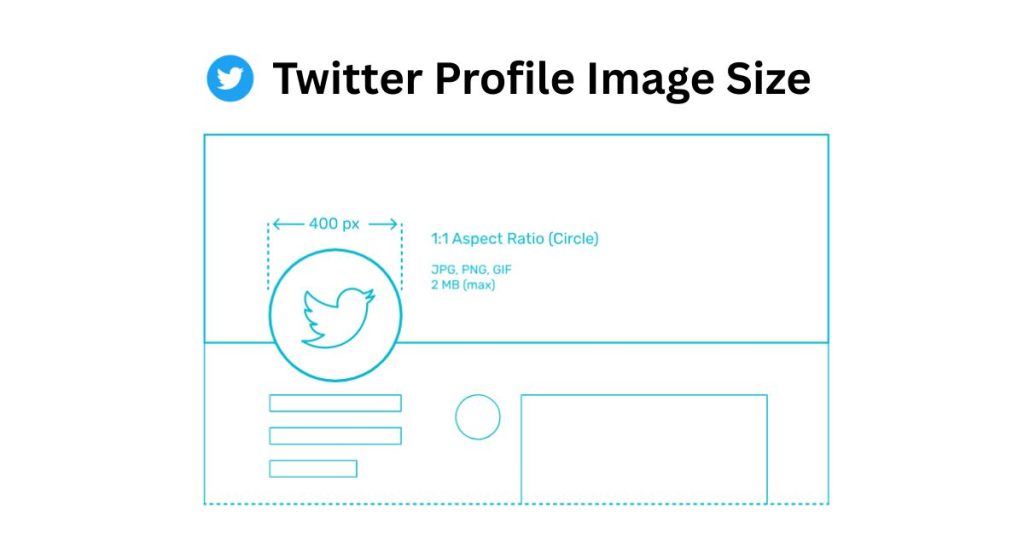
400 x 400 pixels
Minimum size:
200 x 200 pixels
Maximum file size:
2 MB
Supported formats:
JPEG, PNG, GIF
Your Twitter profile picture uploads as a square image, but it is displayed as a circle across the platform. Because of this, important elements such as faces, logos, or text should always be placed in the center of the image.
Many creators prefer using pre cropped profile pictures instead of designing from scratch. You can explore high quality profile pictures and PFP collections on PFPFinder that already work well with circular crops.
Best practices for Twitter profile pictures
- Use a high resolution image to avoid blurriness
- Keep the subject centered to prevent circular cropping issues
- Avoid placing text near the edges
- Use strong contrast so the image stays clear at small sizes
Profile pictures appear smaller in replies and timelines, so simple designs usually perform better than complex visuals.
Twitter Header Image Size
Recommended size:
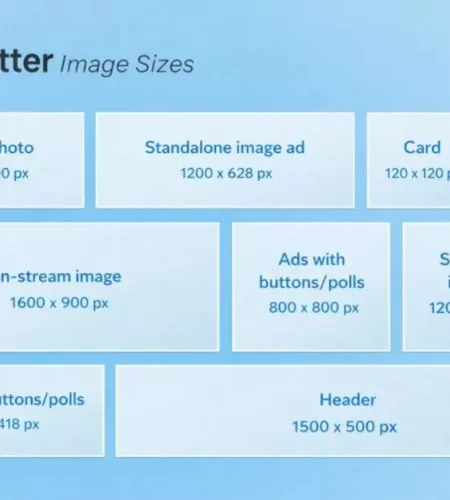
1500 x 500 pixels
Aspect ratio:
3:1
Maximum file size:
2 MB
Supported formats:
JPEG, PNG, GIF
Twitter header images display differently depending on the device. On some screens, around 60 pixels from the top and bottom may be cropped. The profile picture also overlaps the bottom left corner of the header.
Header image tips
- Keep key visuals and text in the center area
- Avoid placing important content in the bottom left
- Preview the header on mobile and desktop
- Use simple layouts that survive light cropping
Headers work best for branding, announcements, or visual identity, but they should remain clean and readable on all screen sizes.
Twitter In Stream Image Size (Tweet Images)
Preview size:
600 x 335 pixels
Expanded size:
Up to 1200 x 675 pixels
Aspect ratio:
16:9
Maximum file size:
5 MB
Supported formats:
JPEG, PNG, GIF
Twitter allows square, vertical, and horizontal images, but the timeline preview is cropped to a 16:9 ratio. When users tap the image, it expands to show the full version.
Tips for tweet images
- Upload images close to 1200 pixels wide for best clarity
- Keep key elements within the center preview area
- Use looping GIFs if uploading animated content
- Avoid thin text that becomes unreadable on mobile
If you frequently post visual content, using properly sized images from the start helps maintain a consistent and professional feed.
Twitter Profile Picture Display Rules
Your Twitter profile image appears in several places:
- Profile page
- Timeline posts
- Replies
- Notifications
Because it is displayed at different sizes, images with simple backgrounds and clear subjects perform best. If a profile picture does not update immediately, it may be due to caching. Refreshing the page or logging out and back in usually resolves the issue.
Twitter Ads Image Size
Minimum width:
600 pixels
Recommended width:
1200 pixels
Accepted ratios:
Desktop: 2:1 to 1:1
Mobile: 16:9
Maximum file size:
5 MB
Supported formats:
JPEG, PNG, GIF
Additional rules:
- Up to four images per tweet
- Animated GIFs cannot be used in multi image tweets
- Clean visuals with minimal text perform better
Twitter ad images should always be optimized for mobile first, since most users browse on phones.
Twitter Video Thumbnail Size
Recommended size:
1200 x 675 pixels
Aspect ratio:
16:9
Supported formats:
JPEG, PNG
A clear thumbnail improves click through rates, especially in fast moving timelines.
How to Make Images for Twitter Profiles
- Choose the correct image size before designing
- Keep faces, logos, and text centered
- Avoid small text and thin fonts
- Test visibility on mobile screens
- Export in high quality under file size limits
Designing with the correct dimensions from the beginning prevents quality loss and upload problems.
Download Twitter Videos and GIFs
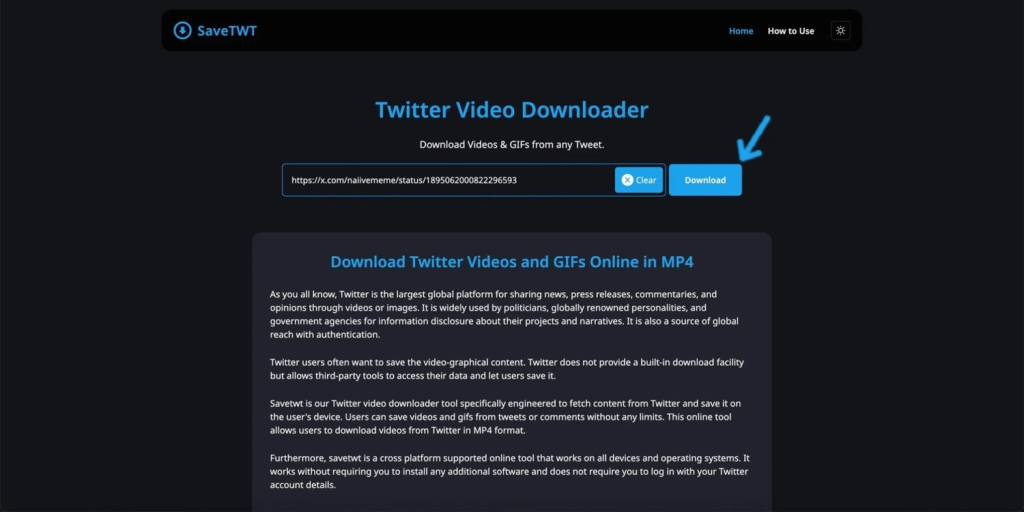
Twitter profiles often include videos and GIFs that users want to save for offline viewing, inspiration, or content reference. Twitter does not provide a direct way to download these files.
One simple solution is SaveTWT, a browser based Twitter Downloader tool that allows users to download Twitter videos and GIFs in just a few steps.
How SaveTWT Works
- Open Twitter and copy the link of the tweet containing the video or GIF
- Paste the link into SaveTWT
- Select the available quality option
- Download the file directly to your device
Common Twitter Image Upload Problems
Image looks blurry
The image resolution is too small or heavily compressed.
Image is cropped incorrectly
Important content is placed too close to the edges.
Upload failed error
The file size is too large, the format is unsupported, or the browser has a temporary issue.
Switching browsers or resizing the image usually fixes upload problems.
Twitter Image Size Summary
| Image Type | Recommended Size |
|---|---|
| Twitter profile image | 400 x 400 px |
| Twitter header image | 1500 x 500 px |
| Tweet image | 1200 x 675 px |
| Twitter ads image | 1200 x 1200 px |
| Video thumbnail | 1200 x 675 px |
Final Thoughts
Using the correct Twitter profile and image sizes ensures your visuals look sharp across all devices. Proper sizing prevents unwanted cropping, improves clarity, and helps maintain a professional profile appearance.
This guide is designed to be an evergreen reference for anyone managing a Twitter profile, whether for personal branding, business accounts, or content creators.
While you’re here and on Discord, then don’t forget to check our guide on Best Discord Profile Picture Sizes and curated list of 100+ Best Trio Matching Pfps & GIFs (Cute/Funny)!
Comments