No matter if you’re gaming competitively, streaming content, attending virtual meeting or simply socializing on instant messaging apps like Discord or WhatsApp, a real-time voice changer can allow you to prank your friends, use meme voices to elevate the conversation, or simply protect your online identity.
A modern real-time voice changer allows users to modify their voice live, without noticeable delay, while working seamlessly across games, apps, and communication platforms.
And if you’re a Windows user, you’re in for some banging luck since there are so many voice changers for Windows OS compared to macOS.
In this guide, we break down the 10 best real-time voice changer software options available today. Each tool is evaluated based on usability, voice quality, real-time performance, and practical use cases so you can confidently choose what fits your needs.
10 Best Real Time Voice Changer Software for Games/APP/Discord
Below I have a list of 10 of the best real-time voice changers; some are for Mac and many are for Windows.
(1) EaseUS Roblox Voice Changer
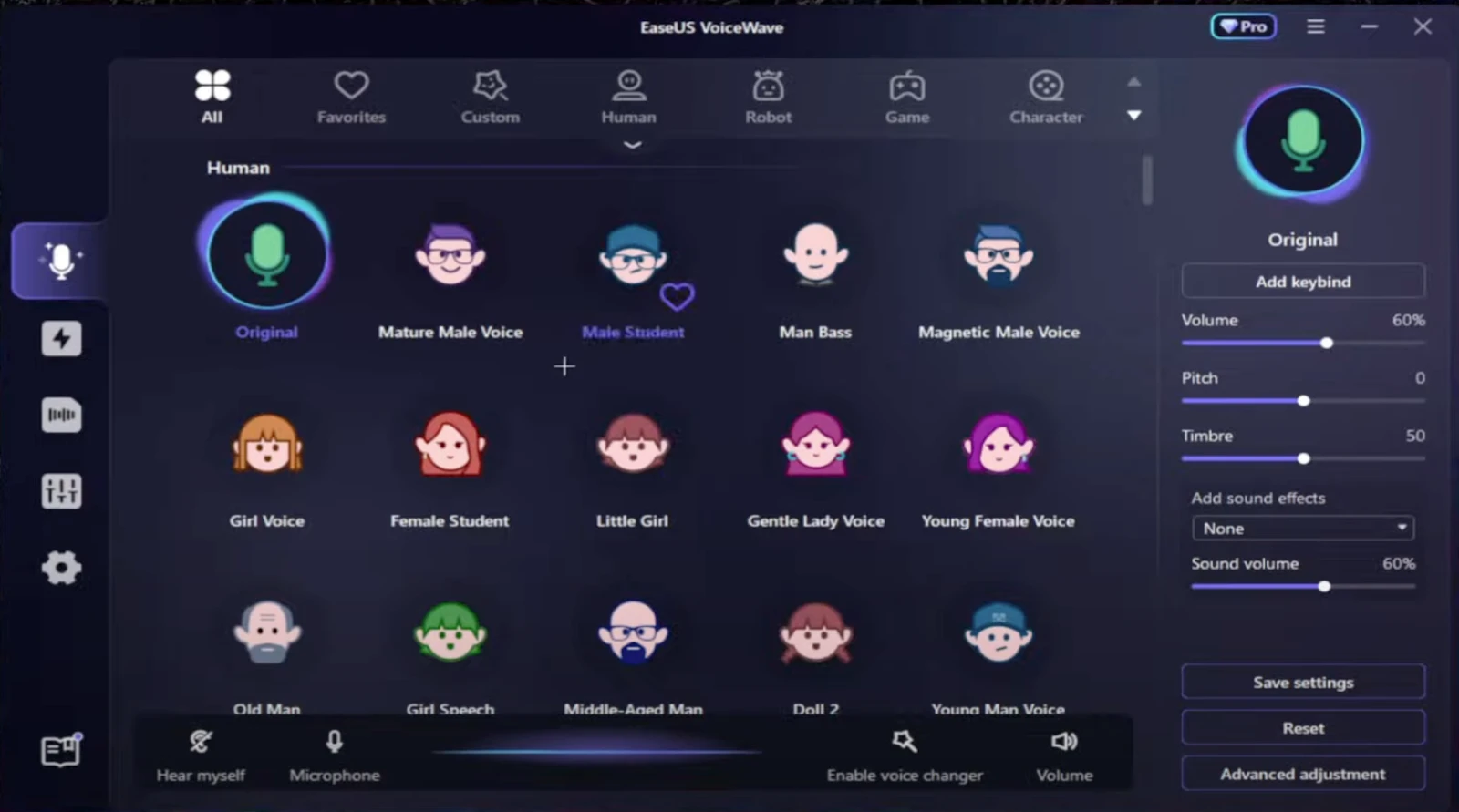
Main Interface Screenshot:
Recommended Scenarios:
- Gaming voice chat
- Discord communities
- Content creation and streaming
- Casual prank and roleplay use
EaseUS VoiceWave is our favorite pick because it is one of the most complete real-time voice changers for Windows users.
This tool has a huge voice library with voices ranging from your favorite TV show character to an anime character. Aside from voice-changing features this tool also offers Soundboard, Noise Reducer, and popular effects like Ghostface, Anime girl, and so on
Using EaseUS VoiceWave, you can even customize voices across different genders, ages, and even emotional tones easily.
Pros:
- Large and high-quality voice library
- Real-time processing with minimal latency
- Built-in soundboard and audio tools
- Beginner-friendly interface
Cons:
- Some premium voices require paid access
- Windows only
User Review:
Users consistently praise EaseUS VoiceWave for its realism and ease of setup, especially for Discord and gaming.
(2) Voicemod
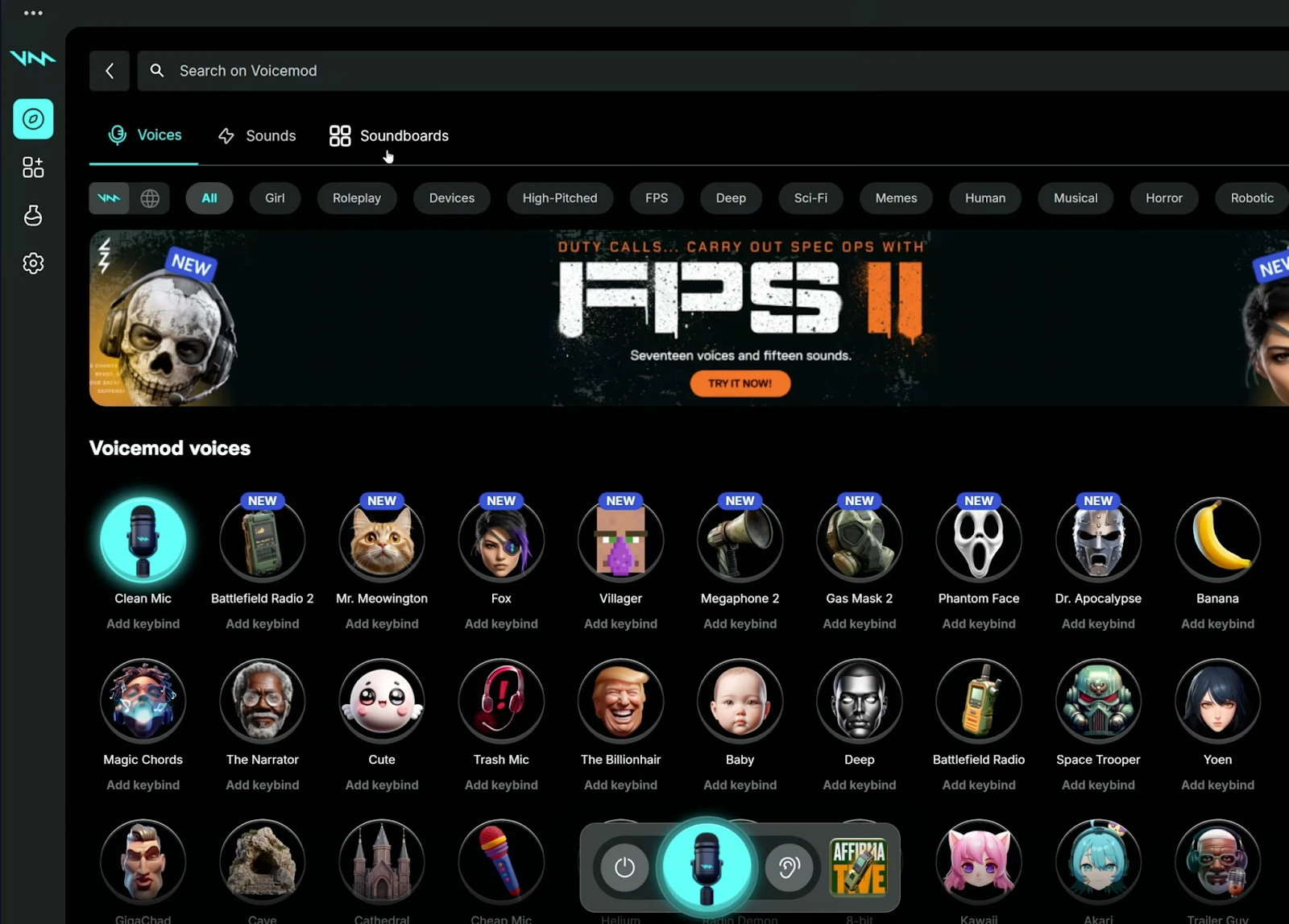
Main Interface Screenshot:
Recommended Scenarios:
- Discord servers
- Streaming and YouTube content
- Casual multiplayer gaming
VoiceMod is another well-known tool for realistic and real-time voice changing, and also this tool is available for both Windows and macOS.
Similar to EaseUS VoiceWave, VoiceMod also supports tons of games and instant messaging apps and has a huge library of voices and sound effects, and you can also create a voice or tweak an existing one to your liking.
Pros:
- Very easy to use
- Strong Discord integration
- Active updates and community
Cons:
- Limited realism
- Most features locked behind a subscription.
User Review:
Great for fun and casual use, but not ideal for users seeking natural-sounding voices.
(3) MURF.ai
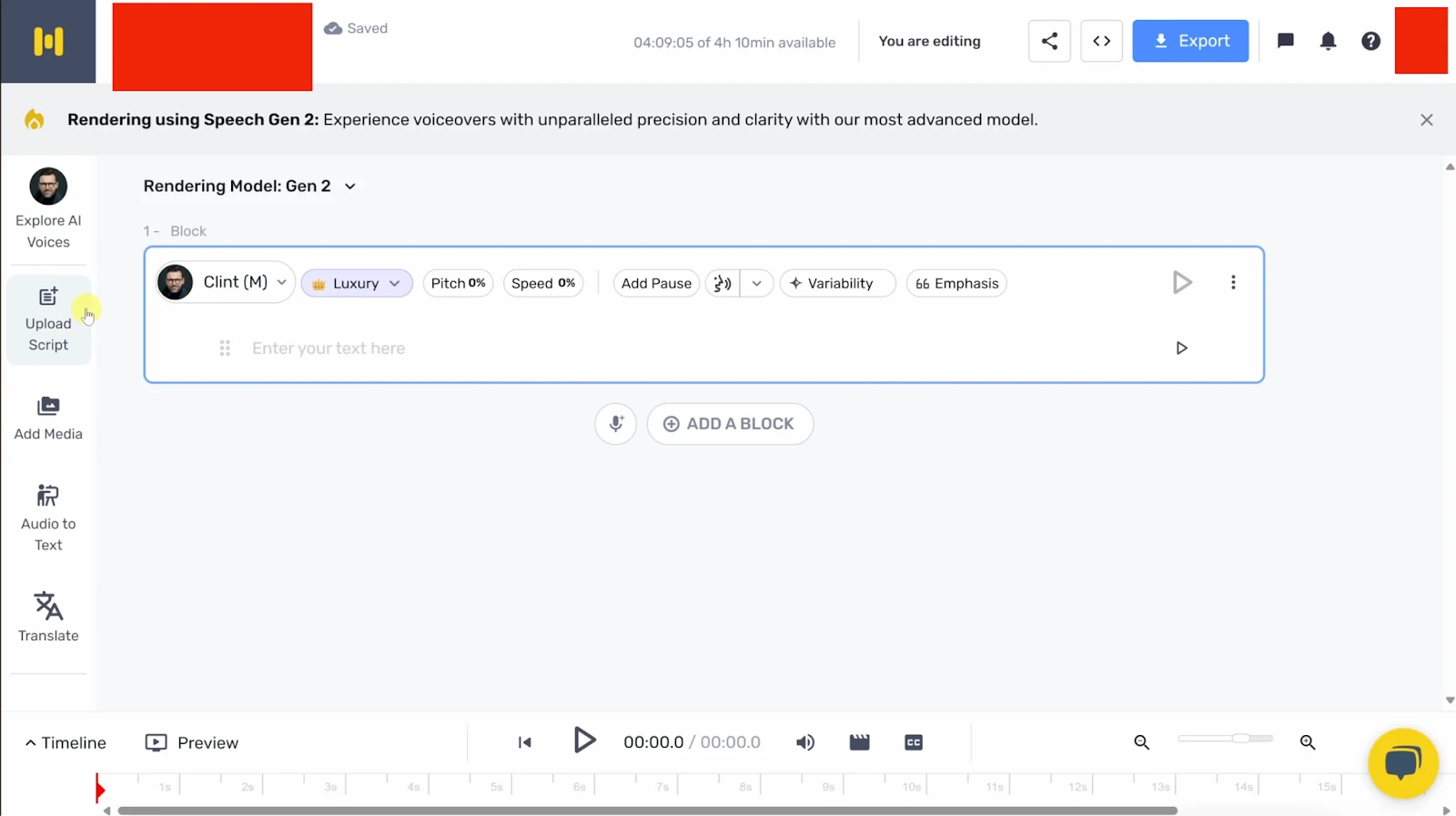
Main Interface Screenshot:
Recommended Scenarios:
- Voiceovers
- Presentations
- Professional narration
Murf.ai is actually a text-to-speech tool and not a real-time voice changer but this tool deserves a mention because of its superior capabilities and its AI-driven superior voice quality.
While this is actually not preferred for real-time gaming, for anything related to professional work, such as audio production or branded content, Murf.ai is a stellar choice.
Pros:
- Extremely realistic AI voices
- Business-ready output quality
- Multiple language support
Cons:
- Not designed for real-time voice chat
- No live microphone processing
User Review:
Highly rated for voiceover quality but unsuitable for live gaming or Discord.
(4) Altered.ai
Main Interface Screenshot:
Recommended Scenarios:
- Real-time voice acting
- Streaming personas
- Roleplay environments
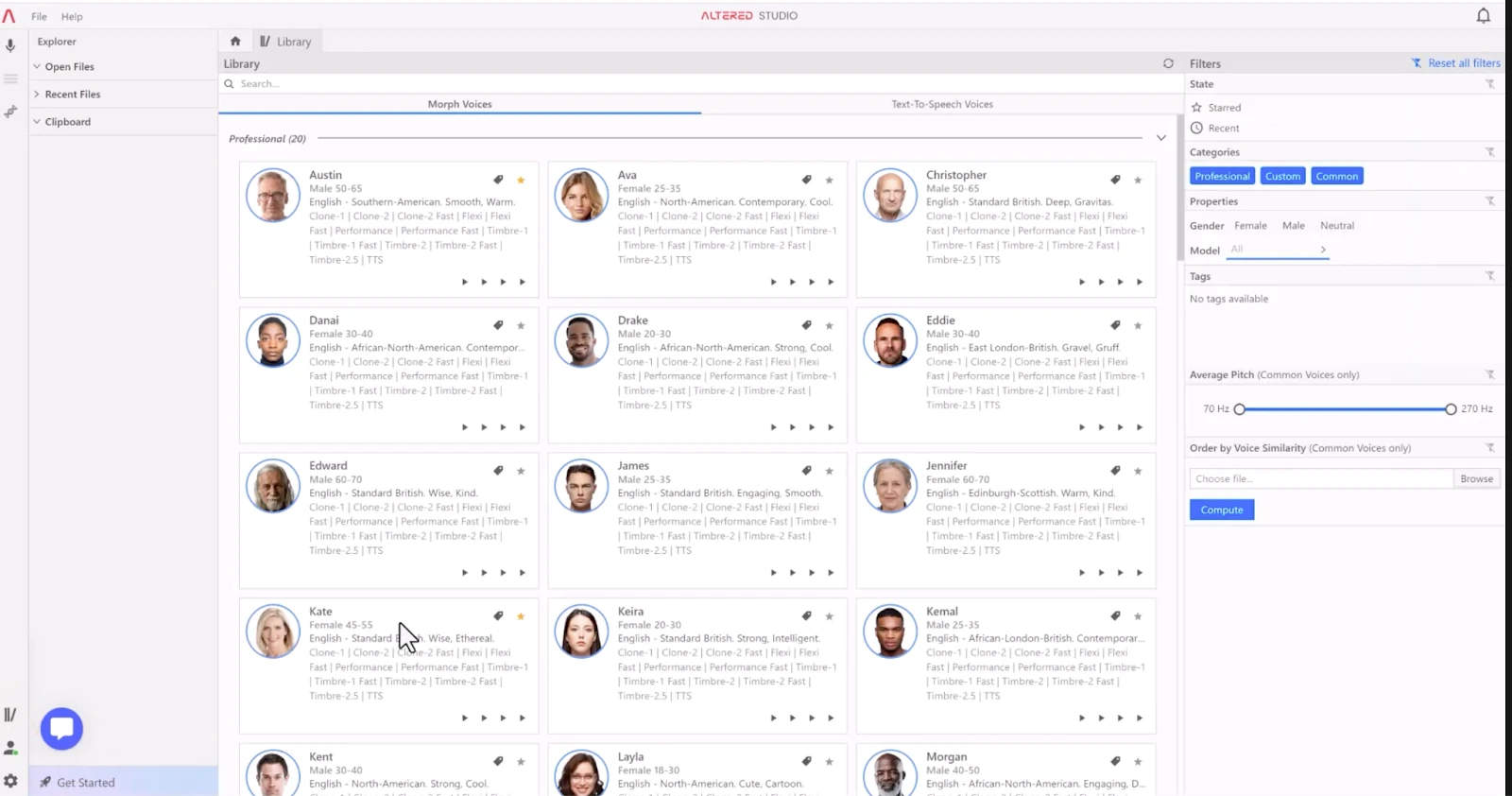
Compared to most voice changers in this list, Altered.ai is a bit different but that’s also what makes it good. Instead of relying on exaggerated effects or novelty filters, it focuses on reshaping voice identity in a way that feels grounded and natural.
Its AI models are trained to preserve the rhythm, emotion, and intent of your speech while transforming how your voice actually sounds. And the results are just astoundingly good and real.
Pros:
- High realism
- AI-powered voice transformation
- Suitable for professional use
Cons:
- Smaller voice library
- Premium pricing
User Review:
Excellent voice realism, especially for character driven content.
(5) Play.ai
Main Interface Screenshot:
Recommended Scenarios:
- AI voice projects
- Content narration
- Brand voice creation
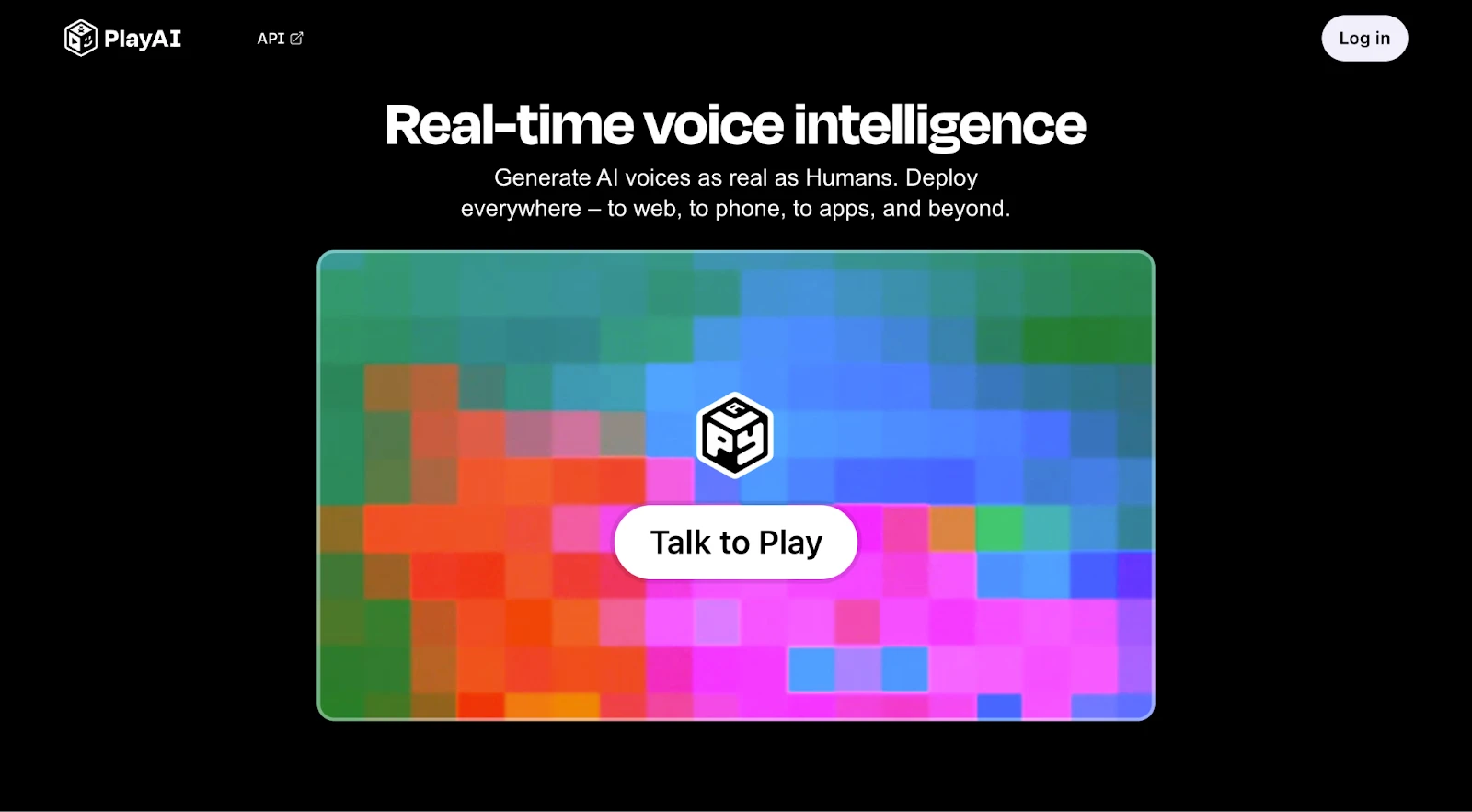
Play.ai is not built with gamers or live voice chat in mind, and it doesn’t try to be. Rather, it actually positions itself as a premium voice generation platform that’s actually designed for creators who care more about precision, tone, and the output.
Using this tool or its APIs, you can easily connect it to an existing tool if you have any and use this as a real-time voice changer.
Pros:
- High-quality AI voices
- Custom voice creation
- Enterprise-grade output
Cons:
- No live voice changing
- Not gaming focused
User Review:
Strong AI platform but not a real-time voice changer.
(6) SuperTone
Main Interface Screenshot:
Recommended Scenarios:
- Music production
- Voice transformation research
- Professional audio work
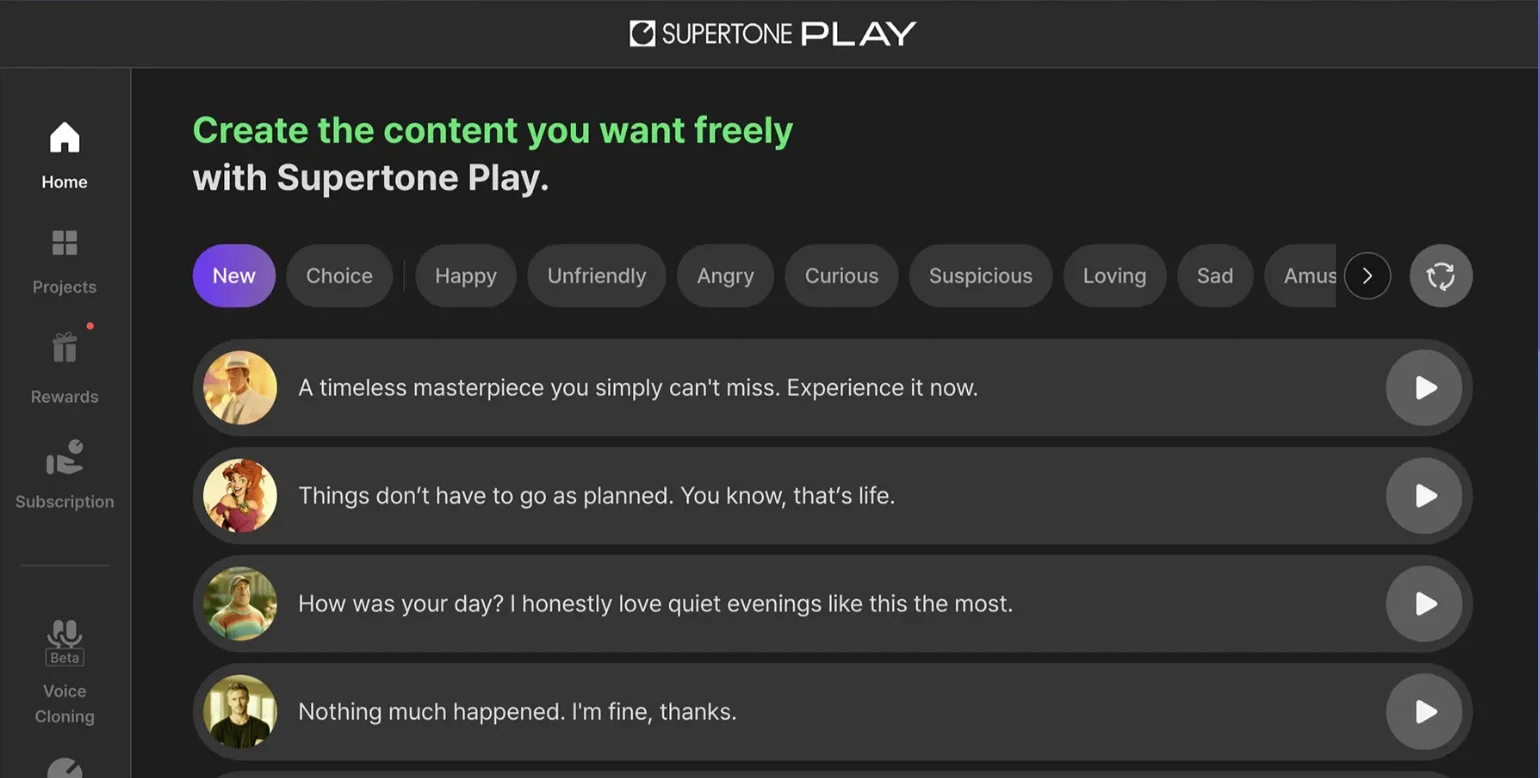
Unlike most tools in this list, SuperTone is an real-time text-to-voice based voice changer wherein you just happen to write the text and click the play button and it will give the output. There are a few voice templates too that you can select between for the desired output.
Also, SuperTone is not just a Windows voice changer since it’s also available for Mac and you can download this program on your preferred device or just use it on your smartphone since this is also available on the web.
Pros:
- Cutting-edge AI
- High fidelity output
Cons:
- Complex setup
- Not intended for casual users
User Review:
Powerful but overkill for everyday voice-changing needs.
(7) LALALAI
Main Interface Screenshot:
Recommended Scenarios:
- Audio separation
- Music remixing
- Studio editing
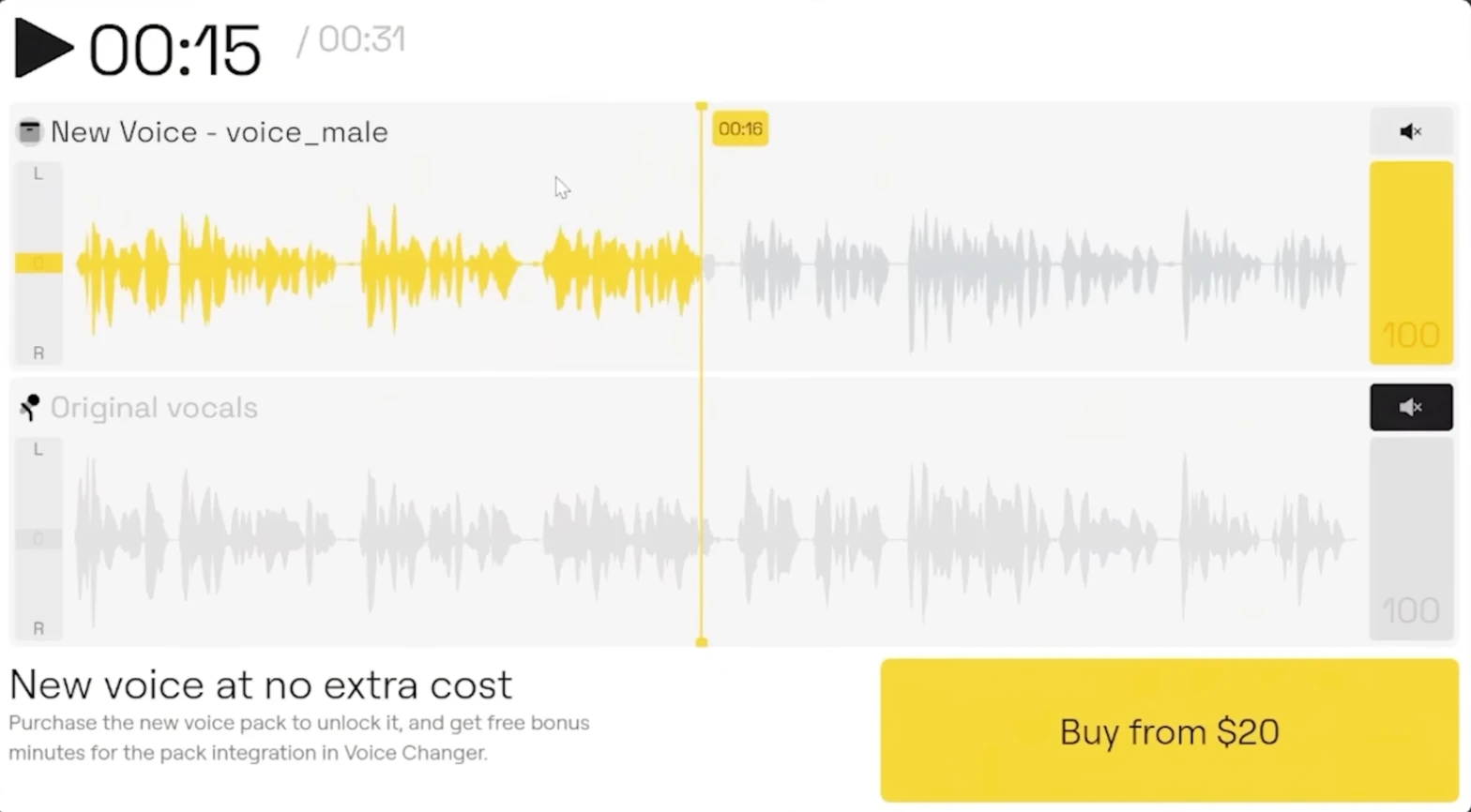
LALALAI is not designed to be a real-time voice changer, but some users still attempt to use it as part of a voice modification workflow. In that case, it can only be used indirectly. The typical approach is to record your voice first, then upload the audio to LALALAI, separate the vocal track, and then finally process or modify that isolated voice using other audio tools before exporting it.
Pros:
- Excellent audio separation
- Clean processing
Cons:
- No real-time voice change
- Not suitable for games or Discord
User Review:
Great for music, irrelevant for live voice changing.
(8) allvoicelab
Main Interface Screenshot:
Recommended Scenarios:
- AI voice experiments
- Text-to-speech projects
- Research use
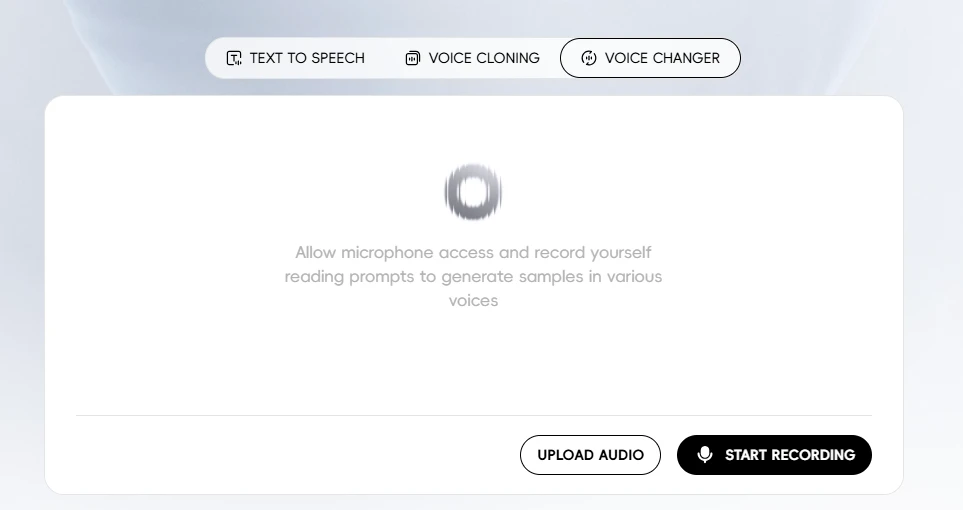
If you’re looking for a tool that offers diverse set of features All Voice Lab is the perfect choice. It offers text-to-speech, voice cloning, and voice changer and it is completely web-based. This makes a perfect too for someone who needs an all in one tool. It has a few voice presets across different regions such as Japan, China, US, and a few others.
If you’re on the lookout for something like this, then All Voice Lab is a good tool to go with.
Pros:
- AI-driven voices
- Research-oriented tools
Cons:
- No live voice support
- Not consumer friendly
User Review:
Niche platform with limited everyday use.
(9) clownfish
Main Interface Screenshot:
Recommended Scenarios:
- Lightweight Discord use
- Low end systems
- Basic voice effects
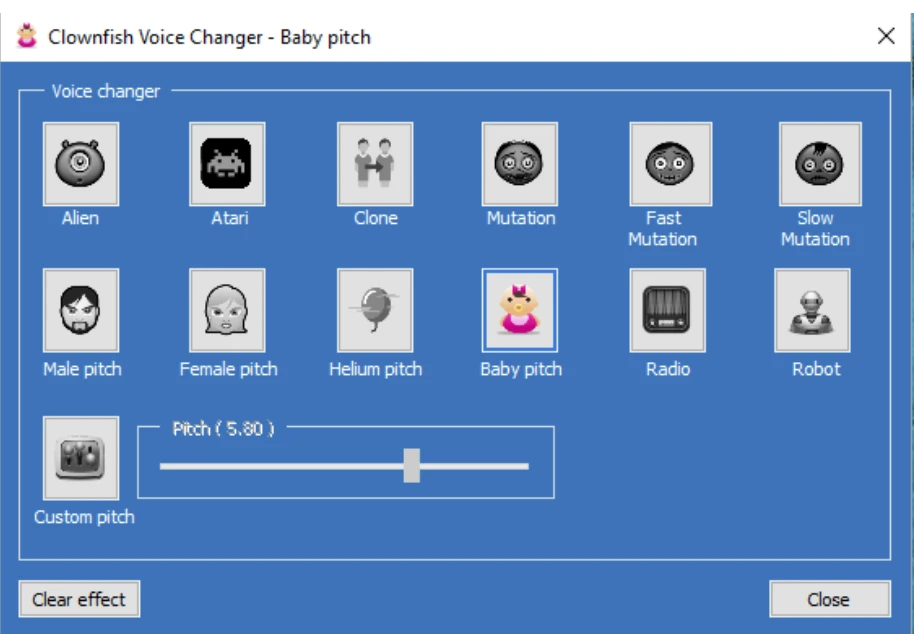
Clownfish offers only basic voice effects such as pitch shifts and simple filters. There is no large voice library, no AI-based realism, and very limited customization. It works best for users who want a free, lightweight solution and are not concerned about sounding natural. If expectations are kept low, it does the job, but it feels dated compared to modern tools.
Pros:
- Free to use
- Lightweight
- System-wide integration
Cons:
- Very limited voice options
- Outdated interface
User Review:
Good for beginners, lacks modern features.
(10) magicmic
Main Interface Screenshot:
Recommended Scenarios:
- Gaming
- Streaming
- Casual entertainment
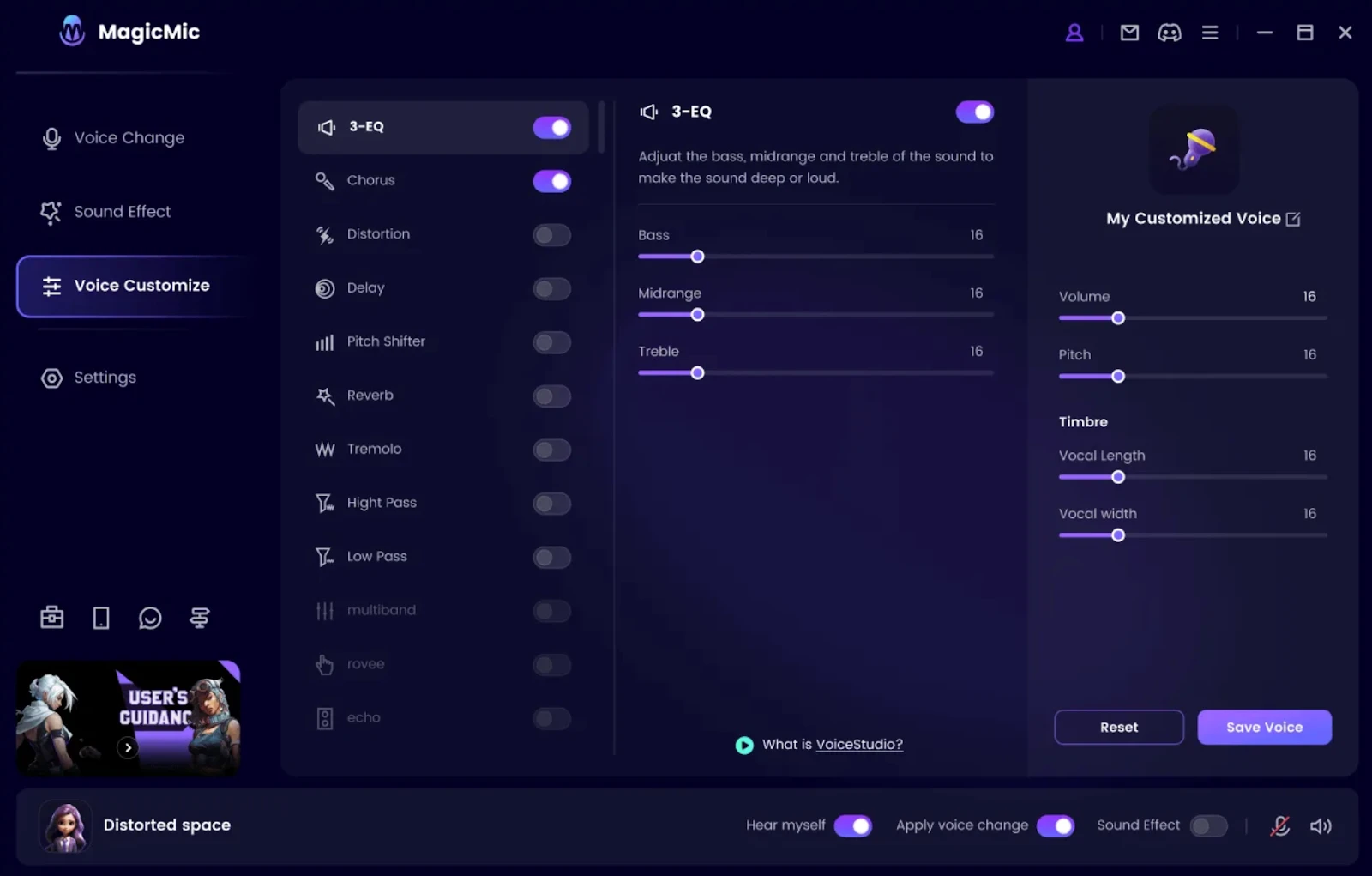
MagicMic is designed specifically for real time voice changing and is often used during games, live streams, and voice chats. After selecting MagicMic as your microphone input, you can apply voice effects instantly, making it suitable for interactive environments like Discord or multiplayer games. It also includes a large collection of sound effects and soundboards that add to its entertainment value.
Pros:
- Many effects
- Real-time processing
- Supports popular platforms
Cons:
- Voice quality varies
- Subscription heavy
User Review:
Fun tool with mixed results on realism.
Sum Up
If you are looking for a true real-time voice changer that works beautifully without issues across games, apps, and Discord, EaseUS VoiceWave stands out as the strongest overall option and no competition even comes close. It’s easy to use, has a library of high-quality voices, and has practical features that most would appreciate and love.
Voicemod and MagicMic are solid alternatives for entertainment-focused users, while AI platforms like MURF.ai and Altered.ai serve more specialized creative needs.
If you spend a lot of time on Discord beyond voice chat, small utilities can also help improve your overall setup. Tools like a Discord PFP Downloader, Discord Lookup, and Discord Timestamp Generator can be useful for managing profiles and servers, and platforms like PfpFinder.com also offer ready-to-use profile pictures and banners, including anime, aesthetic, gaming, and animated Discord Pfps for users who want a clean profile without extra effort.
FAQs
What is the best free voice changer?
EaseUS VoiceWave is the best free voice changer but if you’re looking for something lightweight for Windows users, then the answer would be Clownfish. It offers basic real-time voice modification without cost. However, free tools usually lack the realism, voice variety, and advanced controls of EaseUS VoiceWave or VoiceMod.
What are the key features to look for in a real-time voice changer?
Some of the key features to look for in a real-time voice changer are low-latency processing, realistic voice quality, compatibility with games and apps, easy device routing, and audio enhancement tools like noise reduction. Also, a good interface and reliable updates are also critical for long-term use.
Can I use a real-time voice changer on any online platform?
Yes, you can use a real-time voice changer on any online platform since most real-time voice changers work on platforms that allow microphone input selection, including Discord, Zoom, and in-game chat. However, compatibility depends on correct audio routing and platform restrictions.
Comments